device-docs
How to Clean the Machine
This page shows you how to clean the machine. Cleaning should be done every 7 days. The machine will show a warning 12 hours before cleaning is due.
Important: Cleaning is done by hand right now. Follow each step carefully.
What You Will Need
- Approved cleaning solution / sanitizer
- A container to catch liquid from the tap
- About 15-20 minutes of time
Step 1: Set Up the Cleaner
Before you start on the touchscreen, prepare the machine hardware:
- Install the cleaning solution into the machine, or move the cleaning lever to the cleaning position.
- Make sure the cleaner is connected and ready to flow through the lines.
Step 2: Open the Sources Screen
-
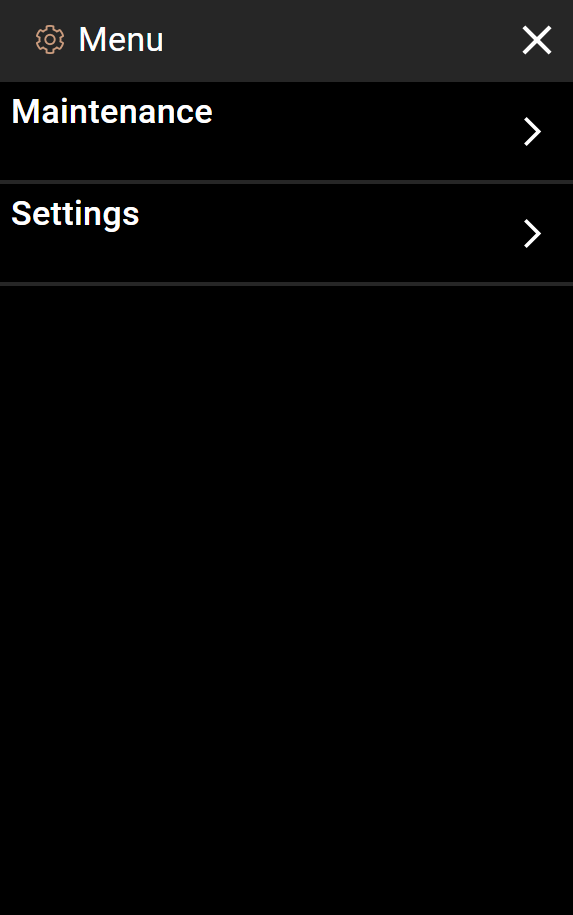
Tap the menu icon (three lines) in the top-left corner of the home screen.
-
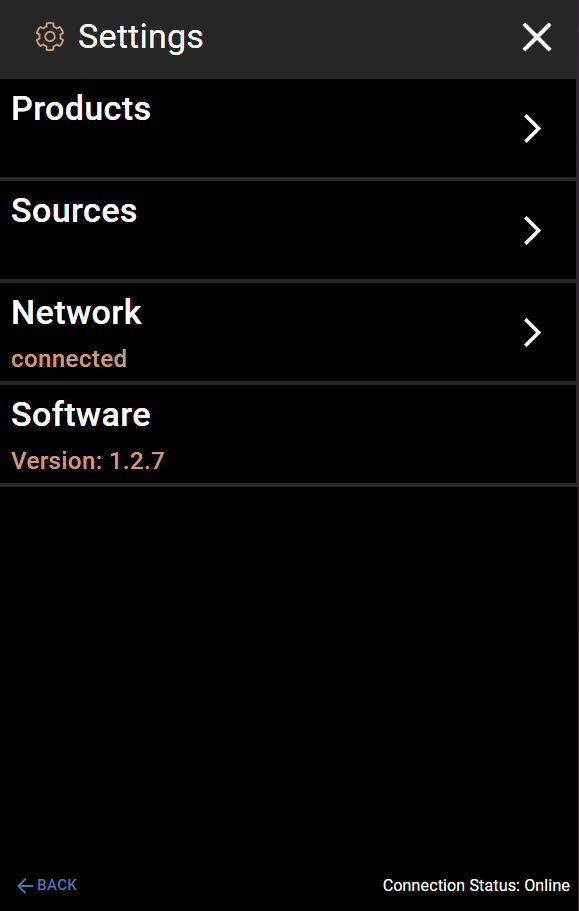
Tap Settings.
-
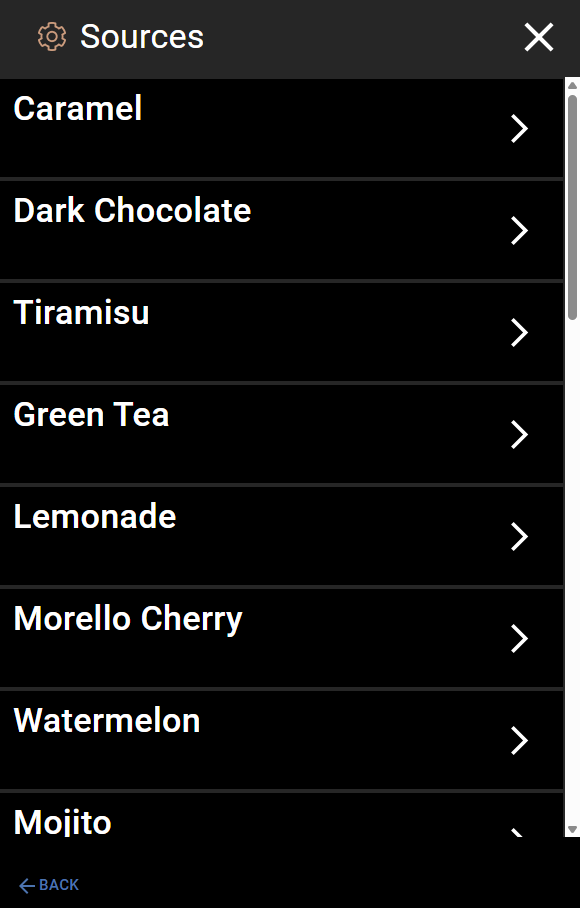
Tap Sources. You will see a list of all the ingredient sources.
Step 3: Flush Each Source with Cleaner
You need to run cleaner through every source, one at a time.
-
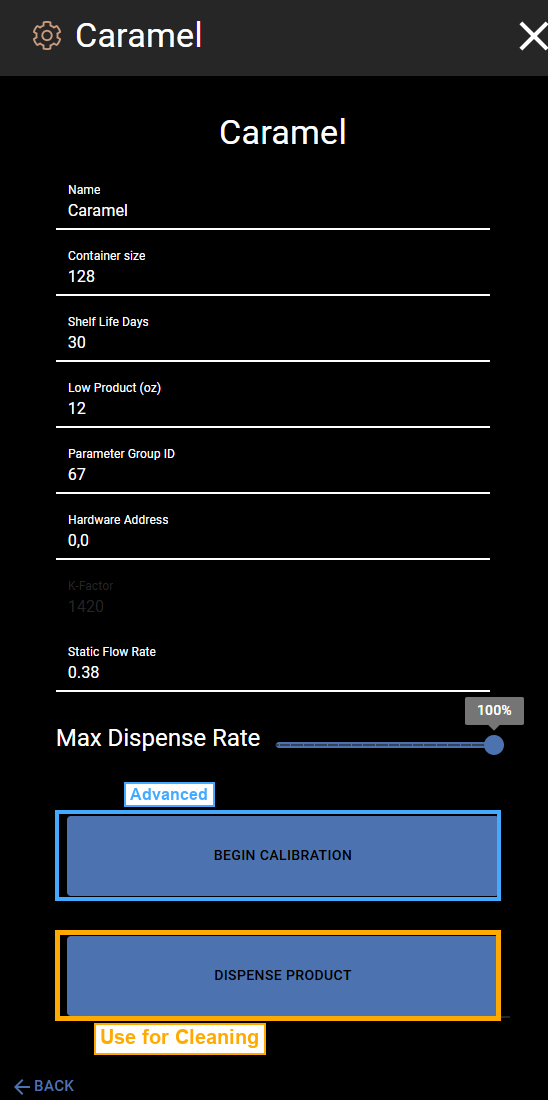
Tap the first source in the list (for example, “Caramel”).
-
Place a container under the tap to catch the liquid.
-
Tap the DISPENSE PRODUCT button (marked in orange in the screenshot above). The machine will push cleaner through that line.
-
Wait until cleaner comes out of the tap, then stop the dispense.
-
Tap BACK to go back to the Sources list.
-
Repeat steps 1-5 for every source in the list. Do not skip any.
Step 4: Wait 5 Minutes
After you have run cleaner through all the sources:
Let the machine sit for 5 minutes. This gives the sanitizer time to work and clean the inside of the lines.
Do not skip this step. The sanitizer needs time to kill germs and bacteria.
Step 5: Purge the Cleaner
Now you need to flush out all the cleaner and get product flowing again.
-
Switch the machine back to product. Remove the cleaner and reconnect the product, or move the cleaning lever back to the normal position.
-
Go back to Settings > Sources.
-
Tap the first source in the list.
-
Place a container under the tap.
-
Tap DISPENSE PRODUCT. At first, cleaner will come out. Keep dispensing until you see the actual product coming out of the tap.
-
Once product is flowing, stop the dispense.
-
Tap BACK and repeat for every source in the list.
Step 6: Done
Once all sources are flowing product again, cleaning is complete. The machine is ready to use.
Quick Reference
| Step | What to Do |
|---|---|
| 1 | Install cleaner or move cleaning lever |
| 2 | Open Menu > Settings > Sources |
| 3 | Dispense from each source until cleaner flows |
| 4 | Wait 5 minutes for sanitizer to work |
| 5 | Switch back to product |
| 6 | Dispense from each source until product flows |